
In an office, Crestron vs Lutron is rarely an either-or choice: Lutron runs the lights and shades, Crestron runs the AV and the touch panel, and the best meeting rooms use both. Most comparisons online are written for luxury homes. This one is for offices, using what each brand released in 2026, including Crestron's 80 Series touch screens and Lutron's Athena and Vive additions.
On this page
- What is the difference between Crestron and Lutron?
- What did Crestron and Lutron launch in 2026?
- What does Crestron control in an office?
- What does Lutron control in an office?
- Crestron vs Lutron: how do they compare side by side?
- How do Crestron and Lutron work together in a meeting room?
- Which should you choose for each type of room?
- What does NYC energy code mean for lighting control?
- Frequently asked questions
- References
What is the difference between Crestron and Lutron?
Crestron makes control systems for AV: touch panels, control processors, conferencing computers and room scheduling. Lutron makes lighting and shading control: dimmers, sensors, fixtures and motorized shades. They overlap only at the edges, which is why commercial projects usually specify both.
The overlap is real but small. Crestron sells its own wireless room lighting, Crestron Zūm, and a Lutron room can run from wall keypads without any AV processor. So a simple room can use either brand alone. In a meeting room, it helps to split the decision into three jobs: lighting and shades, AV and conferencing, and the one interface people touch.
Most "Crestron vs Lutron" guides compare whole-home automation. An office has different priorities: Teams or Zoom calls, IT security policies, energy code, and dozens of rooms that should all work the same way. That is the lens for the rest of this article and for how we design AV control systems in New York.
What did Crestron and Lutron launch in 2026?
Crestron launched five meeting-room products in January 2026, led by the 80 Series touch screens and Collab Compute. Lutron announced additions to its Athena and Vive commercial systems in April 2026, bringing more of its own fixtures under native control and adding wired daylight sensors to Vive.
Crestron says the 80 Series is built on the Microsoft Device Ecosystem Platform and suits corporate offices, universities and government buildings, with availability from Q2 2026. The scheduling panels connect to Microsoft Teams, Outlook, Zoom Rooms and more than 50 other services, according to the press release. For IT teams, the security features are the headline: older panels were often the device that failed a security review.
| Release | Brand | Announced | Why it matters in an office |
|---|---|---|---|
| 80 Series touch screens | Crestron | Jan 20, 2026 | Scheduling, wall and tabletop panels with 802.1X, TLS and Active Directory support, powered over Ethernet and managed in XiO Cloud |
| Collab Compute | Crestron | Jan 2026 | Meeting-room computer with an Intel Core Ultra processor and NPU for local AI, being certified for Teams Rooms and Zoom Rooms |
| Automate VX 6.5 | Crestron | Jan 2026 | AutoMeasure uses AI to work out camera and microphone placement in multi-camera rooms |
| Athena fixture integration | Lutron | Apr 13, 2026 | Lumaris, Rania and Ketra fixtures work natively in Athena; the dashboard adds Server Mode and simpler scene recall and scheduling |
| Vive wired daylight sensors | Lutron | Apr 13, 2026 | More battery-free options for daylight harvesting in open offices and perimeter rooms |
What does Crestron control in an office?
Crestron controls the AV side of the room: displays, sources, cameras, audio levels and room booking, all from a touch panel. It also makes conferencing compute for Teams Rooms and Zoom Rooms, a cloud platform to manage devices, and a wireless lighting line.
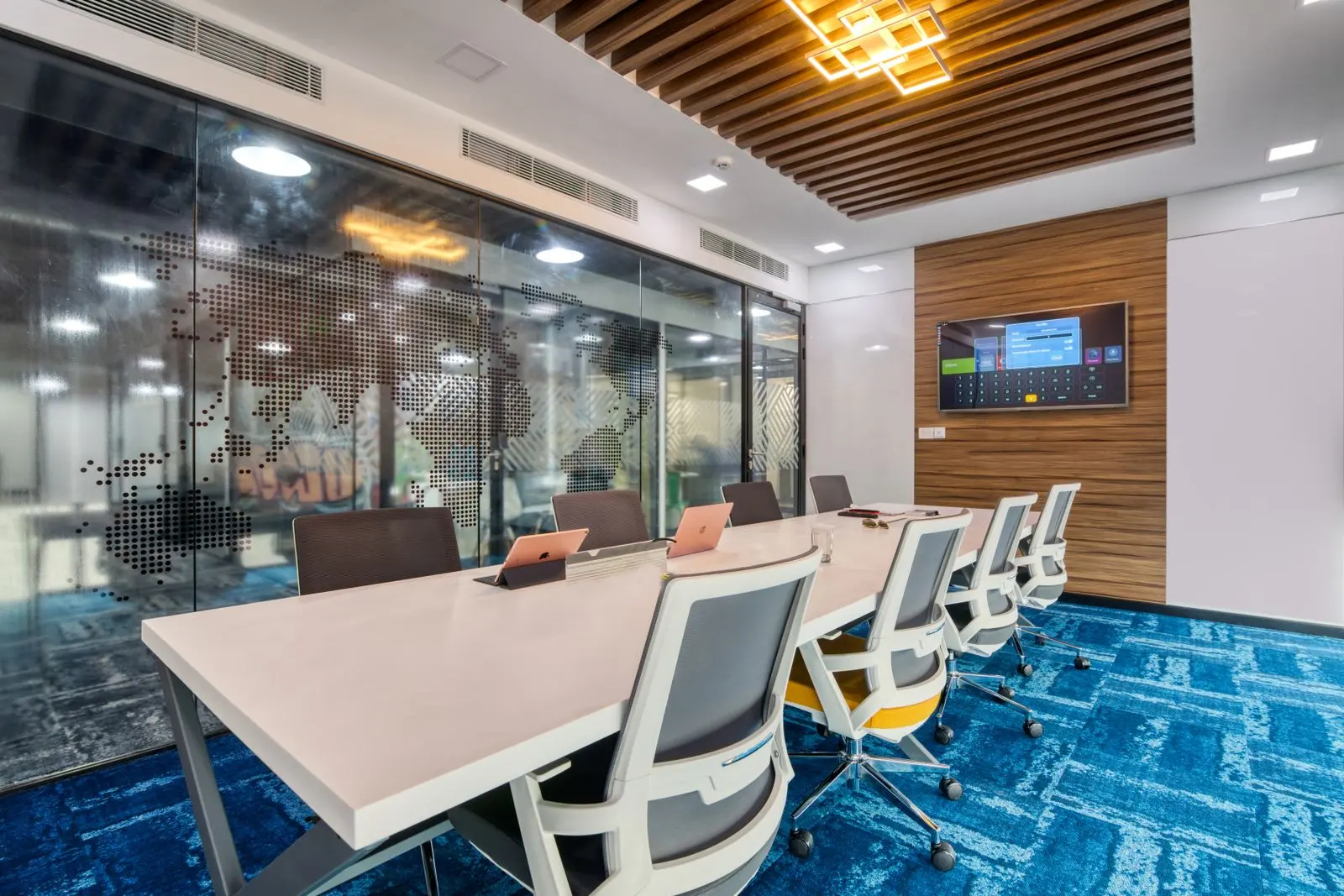
Crestron equipment you will see in commercial rooms
- 80 Series touch screens and scheduling panels: the table or wall interface people use to start a meeting, share content and adjust volume, plus booking panels outside the door.
- Control processors: the "brain" that talks to displays, switchers, DSPs, cameras and third-party systems such as Lutron.
- Collab Compute: Crestron calls it the hardware foundation for AI features in Microsoft Teams Rooms and Zoom Rooms, with One Touch Join.
- XiO Cloud: a platform to deploy, monitor and manage Crestron devices from one dashboard; the Premium tier adds third-party device provisioning.
- Zūm lighting: wireless room lighting whose zone controllers "pair and play" with keypads and occupancy, vacancy and daylight sensors, per the Zūm technical brochure.
What does Lutron control in an office?
Lutron controls light and daylight: dimming, scenes, occupancy and daylight sensing, and motorized shades. Its commercial range runs from wireless single-room systems to whole-building platforms, and each one can take commands from an AV control system.
Shades matter more in meeting rooms than most people expect. A bright window behind the table makes the camera expose for the glass, and remote participants see silhouettes. Lowering the shades as part of the meeting scene fixes that without anyone thinking about it.
| System | Typical fit | What it is known for |
|---|---|---|
| Vive | Single rooms to full floors, retrofits | Wireless sensors and controls; 2026 adds wired daylight sensors |
| Athena | New fit-outs and multi-floor offices | Lighting, shades and cloud software in one system; native Lutron fixtures from 2026 |
| Quantum | Whole buildings and campuses | Total light management across lighting and shades at building scale |
| Motorized shades (e.g. Sivoia QS) | Glass-walled and window-side rooms | Shades controlled with the lighting, so glare is handled before a call starts |
Crestron vs Lutron: how do they compare side by side?
Crestron is the stronger choice for AV control, conferencing and a single user interface. Lutron is the stronger choice for lighting quality, shading and building-scale lighting. Where a room needs both, they are designed to be combined.
| Question | Crestron | Lutron |
|---|---|---|
| Core business | AV control and room systems | Lighting and shading control |
| Meeting room AV (display, camera, audio) | Yes, core strength | No, connects to AV control |
| Lighting control | Yes (Zūm wireless line) | Yes, core strength (Vive, Athena, Quantum) |
| Motorized shades | Through integration | Yes, native |
| Teams Rooms / Zoom Rooms hardware | Yes (Collab Compute) | No |
| Touch panels | 80 Series (2026) | Keypads and apps; panels via AV control |
| Cloud management | XiO Cloud | Athena dashboard and system apps |
| Third-party integration | Processor drives third-party gear | Integration protocol over RS232 / Ethernet |
| Who usually installs it | AV integrator | Electrical contractor, often programmed with the AV integrator |
How do Crestron and Lutron work together in a meeting room?
A Crestron processor talks to the Lutron system over Ethernet or RS232 using Lutron's published integration protocol. The Crestron touch panel then sends lighting scenes and shade positions as part of a room preset, while Lutron keypads, sensors and schedules keep working on their own.
Lutron's integration protocol says it lets third-party equipment such as touch screens control and monitor Lutron devices, and that its integration access points talk to external systems over RS232, Ethernet or both. The protocol covers several Lutron platforms, including Quantum and Athena.
What a one-touch "Meeting" scene typically does
- Display and conferencing wake: the Crestron processor powers the display and starts the Teams or Zoom room system.
- Lighting scene: Lutron dims the zone nearest the display and keeps faces at the table evenly lit for the camera.
- Shades lower: Lutron shades close on the window behind or beside the table to cut glare.
- Camera and audio: the camera recalls its preset and audio levels return to their commissioned defaults.
- End of meeting: an "All Off" or a vacancy timeout returns lights, shades and AV to standby.
Commissioning tip: Lutron's integration best practice is to create a separate login for each third-party device that connects to the Lutron system. It makes troubleshooting much faster when one room stops responding.
Which should you choose for each type of room?
Match the equipment to the room's size and how often it hosts calls. Huddle rooms rarely need a control processor. Boardrooms, training rooms and divisible rooms almost always benefit from Crestron control with Lutron lighting and shades.
| Room type | AV control | Lighting and shades | Typical approach |
|---|---|---|---|
| Huddle room (2–5 people) | Video bar with the platform's own controller | Wireless occupancy lighting (Vive or Zūm) | Keep it simple; no processor |
| Mid-size conference room (6–12) | Crestron 80 Series panel and scheduling panel | Lutron dimming with a "Meeting" scene | One-touch join; the scene recalls the lights |
| Boardroom | Crestron processor and touch panels | Lutron dimming plus motorized shades | Full scene control and camera presets |
| Training room / town hall | Crestron processor with presentation modes | Lutron zones for presenter and audience | Separate presentation and video-call scenes |
| Whole floor or building | Crestron room standards, monitored in XiO Cloud | Lutron Athena or Quantum | Standardize rooms and monitor centrally |
Our conference room AV and boardroom AV pages show how these standards come together in finished New York rooms.
What does NYC energy code mean for lighting control?
In New York City, lighting controls in commercial spaces fall under the NYC Energy Conservation Code, so occupancy or vacancy sensing, automatic shutoff and daylight response are usually design requirements rather than options. Confirm the requirements for your space with your engineer of record.
The NYC Energy Conservation Code is administered by the Department of Buildings. Both brands make code-focused equipment: Crestron's ZUMMESH-CCO shares room occupancy with HVAC equipment and is listed for ASHRAE 90.1 and IECC compliance, and Lutron's systems include occupancy and daylight sensing.
For AV design, the useful point is that the lighting system already knows whether the room is occupied. A good integration uses that same signal to put the display and conferencing system into standby, so the room saves energy and is ready the moment someone walks in.
Frequently Asked Questions
Can Crestron control Lutron lights and shades?
Yes. A Crestron control processor can send commands to Lutron lighting and shading systems over Ethernet or RS232 using Lutron's published integration protocol. The Crestron touch panel then recalls lighting scenes and shade positions as part of a room preset, while Lutron keypads and sensors keep working on their own.
What is the Crestron 80 Series?
The 80 Series is Crestron's 2026 family of touch screens, announced on January 20, 2026. It includes room scheduling panels, wall-mount panels and tabletop panels, built on the Microsoft Device Ecosystem Platform with 802.1X, TLS and Active Directory support, powered over Ethernet and managed through XiO Cloud.
Is Crestron more expensive than Lutron?
They price different things, so compare by scope. Crestron cost is driven by processors, touch panels and programming time. Lutron cost is driven by the number of dimmed zones, sensors, fixtures and shades. A room that needs both is usually priced as one design, and the integration programming is a separate line to agree up front.
Is Crestron Zūm a replacement for Lutron?
For a single room with straightforward dimming and occupancy control, Crestron Zūm can do the job, especially when the rest of the room is Crestron. For buildings that need shades, tunable lighting or building-wide lighting management, Lutron Athena or Quantum is usually the stronger fit.
Should we choose Lutron Athena or Vive for an office?
Vive suits retrofits and smaller offices because its wireless sensors and controls need little new wiring. Athena suits new fit-outs and multi-floor offices that want lighting, shades and fixtures in one system with central software. Your building, schedule and electrical scope usually decide it.
Who installs Lutron in an office, the AV integrator or the electrician?
Lutron dimmers and panels are line-voltage electrical work, so a licensed electrical contractor typically installs them. The AV integrator commonly programs the integration with the AV control system. Agreeing on who programs scenes and who owns the integration points avoids gaps at handover.
Can Crestron and Lutron be added to an existing meeting room?
Often, yes. Wireless lighting such as Lutron Vive or Crestron Zūm is designed for retrofits with limited new wiring, and an 80 Series touch panel needs only a network cable with PoE. Motorized shades need power at the window, so a site survey comes first.
Use each brand for what it does best
For most New York offices, Lutron handles light and shade, Crestron handles AV and the user interface, and a well-commissioned integration makes each room feel like one system. Choose the lighting system by building scope, choose AV control by room type, and agree the integration points before anything is installed.
If you are planning new meeting rooms or upgrading old ones, we can survey the space and recommend the right mix of Crestron and Lutron equipment.
Scope note: Building code, accessibility and licensing requirements vary by project, building and jurisdiction and change over time. This article is general information for planning purposes. Confirm requirements with the authority having jurisdiction, your licensed design professionals and the platform vendor before making decisions.
References
- Crestron Introduces 80 Series Touch Screens (press release, Jan 20, 2026) — Crestron
- Crestron launches five products for "culture of collaboration" — AV Interactive
- Additions to Athena and Vive at LEDucation 2026 (press release, Apr 13, 2026) — Lutron Electronics
- Collab Compute — Crestron
- XiO Cloud — Crestron
- Crestron Zūm Technical Brochure — Crestron
- ZUMMESH-CCO Contact Closure Output — Crestron
- Lutron Integration Protocol (Rev. AH) — Lutron Electronics
- Vive Lighting Control System — Lutron Electronics
- Athena Lighting Control System — Lutron Electronics
- Quantum Total Light Management — Lutron Electronics
- NYC Energy Conservation Code — NYC Department of Buildings
References verified and re-checked at each scheduled review. Read our editorial policy.