Conference Room AV Installation in New York
We design and install conference room AV systems for New York offices — displays, cameras, microphone arrays, audio processing, wireless presentation and one-touch control — engineered to the room and standardized across every room you have.
AV Company New York · 24 Mercer Street, New York, NY 10013 · Serving the five boroughs
AV Company New York installs conference room audiovisual systems for businesses in Manhattan and the five boroughs from our office at 24 Mercer Street. A typical installation covers display or projection sizing, auto-framing cameras, ceiling or tabletop microphones, loudspeakers and DSP, a Microsoft Teams, Zoom or Webex room system, wireless presentation, touch-panel control, scheduling displays, cabling, programming, testing and user training.
- Rooms from 4-seat huddle spaces to 20-plus-seat boardrooms
- Microsoft Teams Rooms, Zoom Rooms and Webex
- Room standards for multi-room offices
- Upgrades of existing rooms, often after hours
- Design, installation, programming and support by one team
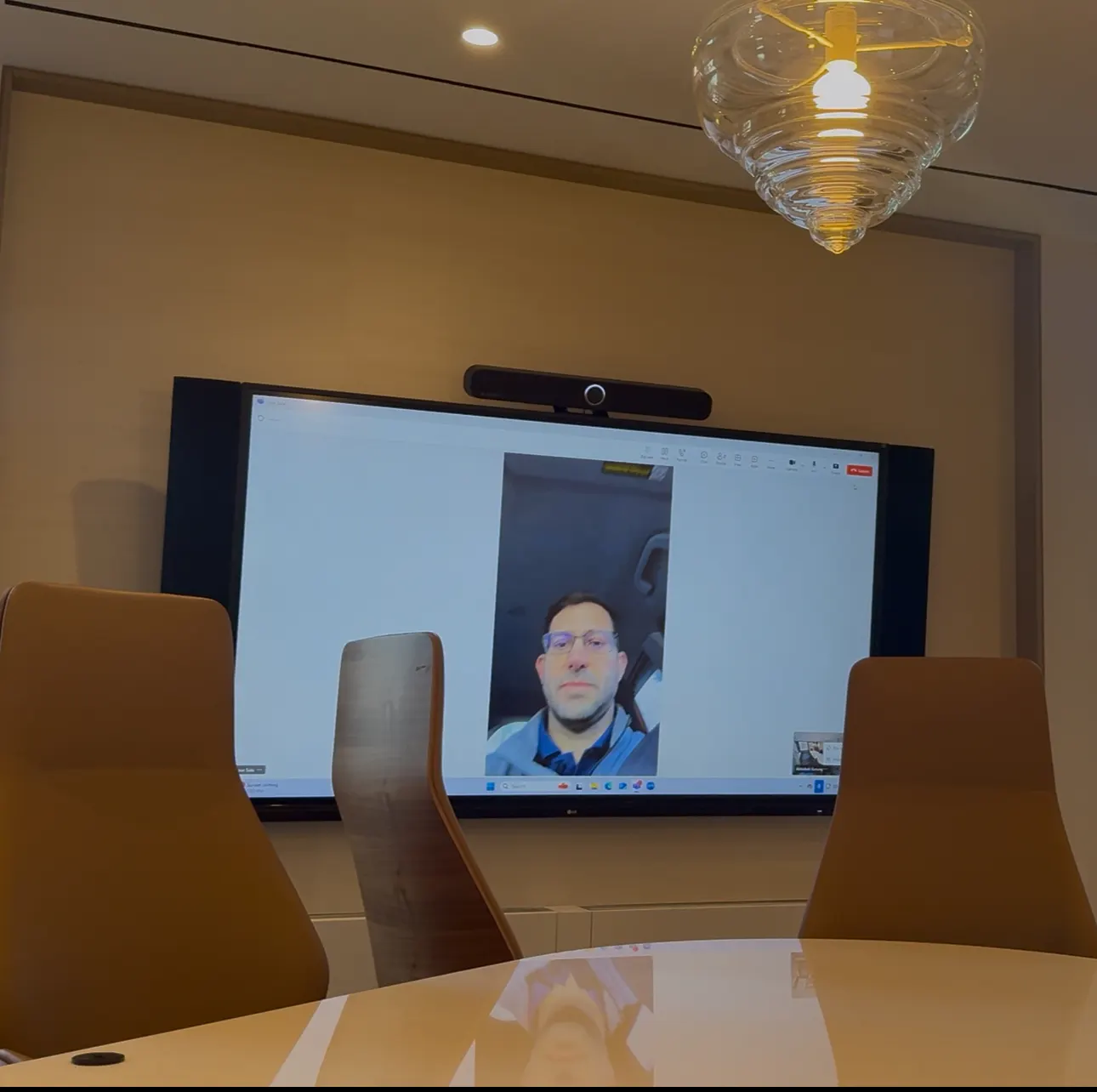
What a complete conference room installation includes, component by component.
What Is Included in a Conference Room AV System
A conference room is a chain of components that has to work as one system. Weakness anywhere — a microphone that misses the far end of the table, a display mounted too high for the camera, an unmanaged network port — is what people remember. These are the elements we design and install together:
Displays and projection
Display size is calculated from the distance to the farthest seat and the type of content (spreadsheets need more pixels per viewer than slides). Medium and large rooms usually get dual displays so remote participants and shared content are both visible at full size. Where the required image exceeds practical flat-panel sizes, we use laser projection or direct-view LED.
Cameras
Modern conferencing cameras auto-frame the group and follow the active speaker. Placement matters more than resolution: the camera should sit at or near eye level, centered under or between the displays, not perched above a 75-inch screen looking down at the table. Large rooms use multiple cameras with speaker tracking or an additional presenter camera.
Microphones
The microphone system is chosen for the ceiling height, table shape and finish materials. Options include tabletop boundary microphones, ceiling microphone arrays that cover a defined zone, and beamforming bars integrated with the video bar. Glass walls and hard ceilings, common in New York offices, push us toward ceiling arrays with DSP-driven beam steering.
Loudspeakers and DSP
Ceiling or wall loudspeakers positioned for even speech coverage, fed by a digital signal processor that handles acoustic echo cancellation, noise reduction, automatic gain and mixing. The DSP is what keeps remote participants from hearing the room echo back at them.
Conferencing platform
A certified Microsoft Teams Rooms, Zoom Rooms or Webex device runs the meeting natively with a touch controller on the table. Rooms can also support BYOD and bring-your-own-meeting via USB-C or wireless so guests can host on any platform from their own laptop.
Wireless presentation and control
Wireless presentation lets anyone share a screen without dongles. A touch panel or the native room controller starts the meeting, switches sources, adjusts volume and, where integrated, controls lighting and shades. Scheduling displays outside the room show availability from your calendar system.
A small number of room types, each with a fixed equipment set and identical interface.
Conference Room AV by Room Size
Standardization is the practical outcome of good conference room design. We define room types with your IT team and deploy them consistently, so a person who has used one medium room can use every medium room in the company.
| Room type | Seats | Typical system |
|---|---|---|
| Huddle room | 2–4 | Single display, all-in-one video bar, USB-C and wireless sharing, compact controller |
| Small conference room | 4–8 | Single or dual displays, video bar or separate camera and tabletop microphone, native Teams/Zoom controller |
| Medium conference room | 8–12 | Dual displays, auto-framing camera, ceiling microphone array or beamforming bar, ceiling speakers, DSP, touch-panel control |
| Large conference room | 12–20 | Larger dual displays or LED, multiple cameras with speaker tracking, ceiling arrays, distributed speakers, DSP, full control system |
| Boardroom | 12–24 | Concealed or motorized displays, production-style multi-camera switching, high-end audio, one-touch scenes for lighting and shades |
| Training / divisible room | 20+ | Dual projection or LED, instructor and audience cameras, voice lift, lecture capture, room-combining control |
Many New York rooms only need the conferencing chain replaced, not a rebuild.
Upgrading an Existing Conference Room
Rooms built five to ten years ago typically have displays, mounts, cable paths and speakers that are still serviceable, paired with a camera, microphone and codec that predate hybrid work. An upgrade keeps what works and replaces what does not: a modern auto-framing camera, a ceiling microphone array, a Teams or Zoom room system and a touch controller can be installed in a day using the existing infrastructure.
Upgrades in occupied Manhattan offices are usually scheduled after hours or in phases so no floor loses all its rooms at once. We coordinate certificates of insurance, freight elevator access and building work rules as part of the plan.
Design before purchase; commissioning before handover.
How a Conference Room Installation Works
Discovery establishes how many rooms, which platform, who supports them and what budget the project must fit. A site assessment records each room's dimensions, ceiling type, wall construction, glazing, lighting, power and network drops, then we design the room standards and produce equipment schedules, drawings and a validated budget.
Installation is scheduled around your occupancy. Our field team mounts, cables and terminates; programming and DSP tuning follow; commissioning verifies every source, seat and failure mode; training covers users and IT. Documentation is handed over as built, and a service agreement keeps the rooms current as platforms change.
Conference Room Projects
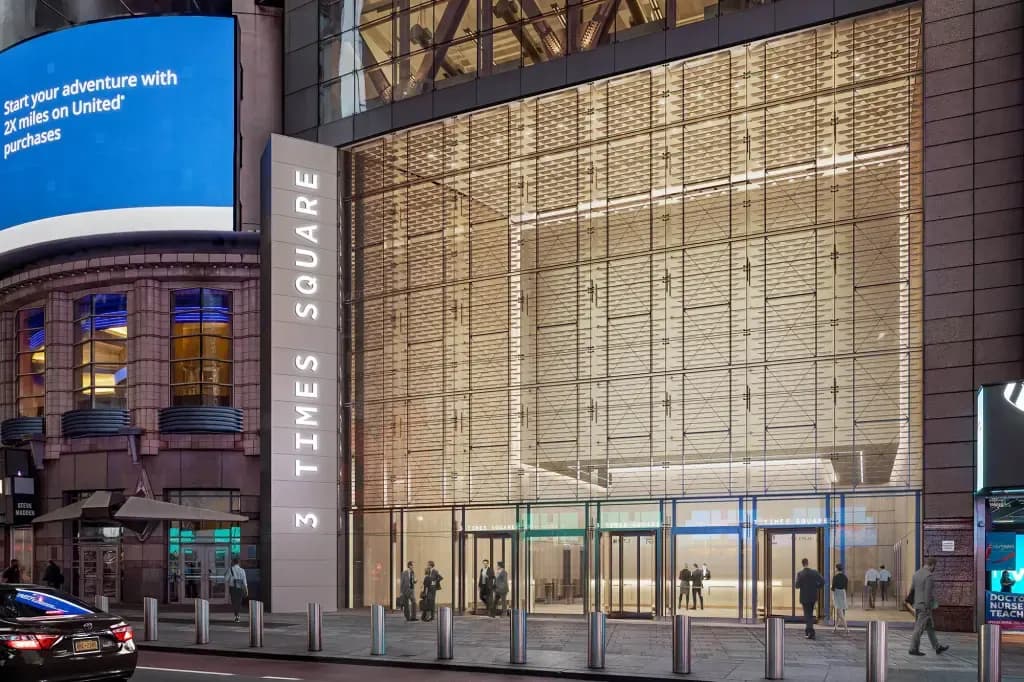 Manhattan, New York
3 Times Square
Conference room technology with AI-assisted camera and microphone systems, projection and speakers, plus enterprise network infrastructure in a Midtown office building.
View project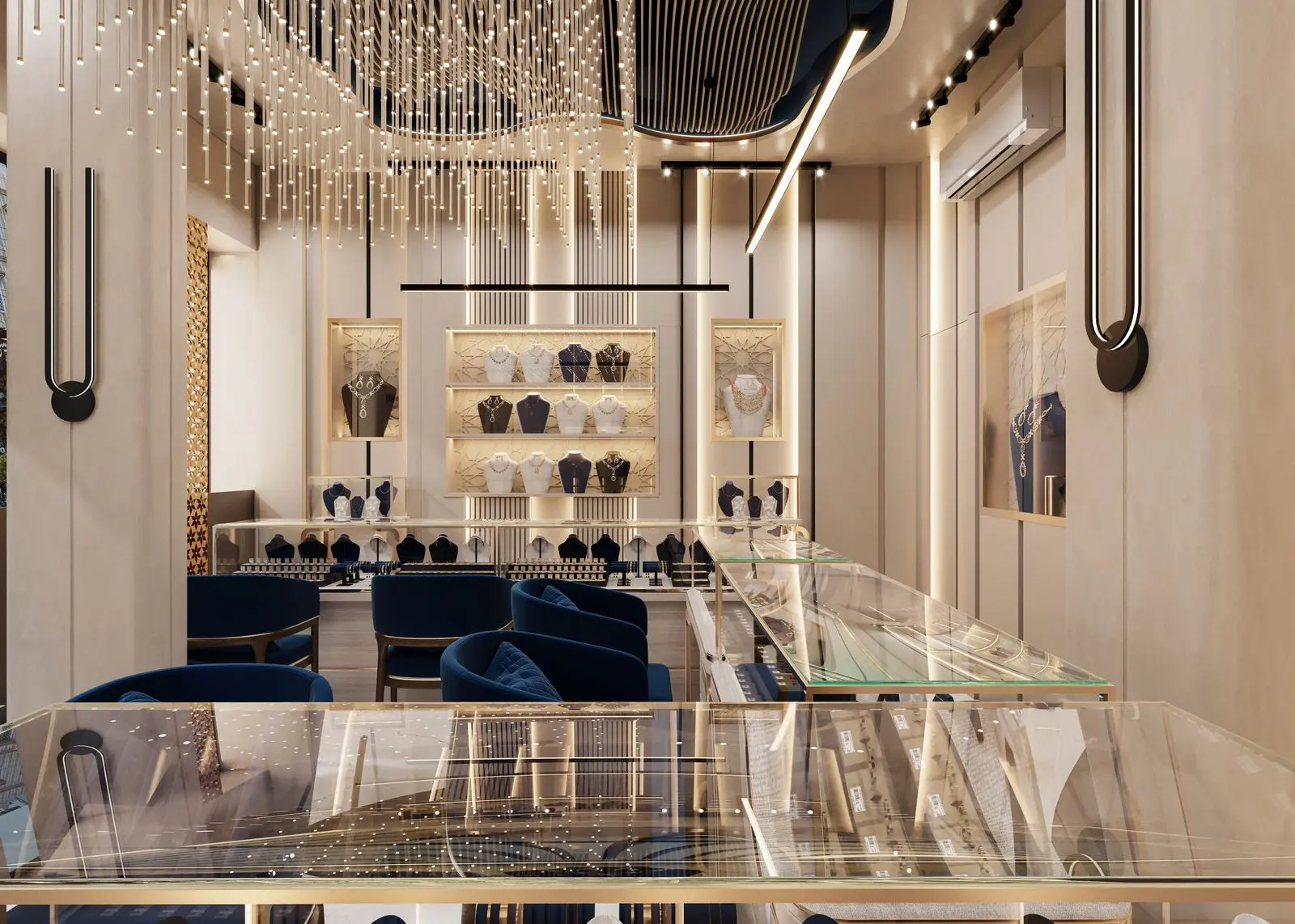 Miami, FL
Audemars Piguet / AP House
Fully automated AV control environment paired with a small huddle room installation for a luxury watchmaker's private client space.
View projectFrequently Asked Questions
How long does a conference room AV installation take?
A huddle or small room is typically installed and commissioned in one to two days once equipment is on site. A medium or large room with ceiling microphones, DSP and a control system takes two to five days. Multi-room deployments are phased so the office never loses all of its rooms at once. Equipment lead times and building access windows are usually the larger schedule factors.
What size display does a conference room need?
As a rule of thumb, for detailed content the display height should be at least one-sixth of the distance to the farthest viewer; for general presentations one-eighth is acceptable. A 12-foot room depth points to roughly 75 inches for detailed work. Dual displays are recommended for medium rooms and up so people and content are both visible.
Should we use a video bar or separate camera and microphones?
Video bars are excellent for huddle and small rooms up to about 15 feet deep. Beyond that, a separate camera positioned for the table and a ceiling microphone array with DSP deliver far better audio pickup and framing. We recommend based on room dimensions, not price alone.
Can the room work with Teams and Zoom?
Yes. Native Teams Rooms and Zoom Rooms devices can join the other platform's meetings through built-in interoperability, and any room can be configured for bring-your-own-meeting via USB-C or wireless so a guest can host on any platform from their laptop.
Do you handle the network and IT side?
Yes. We work with your IT team on VLANs, PoE, QoS, device management and security policy so room devices meet your standards. Provisioning of Teams or Zoom resource accounts is done together with IT during commissioning.
Can you install in an occupied office?
Yes. Most New York conference room work is done in occupied buildings, often after hours or in phases. We coordinate COIs, freight elevator windows, building work rules and protection of finished spaces as part of the schedule.
What does a conference room AV system cost in New York?
Costs range widely: a huddle room with a video bar and display is a modest investment; a large boardroom with ceiling arrays, multiple cameras, DSP and custom control is considerably more. Standardizing several rooms lowers the per-room cost. We provide budget ranges after a site assessment; a design-only engagement can validate the budget before installation is committed.
Do you provide support after the installation?
Yes. Rooms are documented as built and handed over with training, and service agreements cover preventive maintenance, remote monitoring, platform and firmware updates and on-site response.
Related AV Solutions
Microsoft Teams Rooms
Certified-hardware Teams Rooms deployed and standardized across offices.
Learn moreZoom Rooms
Zoom Rooms appliances, controllers and scheduling displays.
Learn moreVideo Conferencing
Camera, microphone, display and codec systems for hybrid meetings.
Learn moreBoardroom AV
Executive boardroom systems with concealed technology and one-touch operation.
Learn moreMeeting Room AV
Huddle, small and medium meeting rooms standardized across a floor plate.
Learn moreAV Control Systems
Touch-panel control, room automation and standardized user experiences.
Learn moreCommercial Audio
DSP, ceiling microphones, speakers and paging for commercial spaces.
Learn moreCommercial AV Integration
Design-to-commissioning integration for offices and enterprise environments.
Learn morePlanning Conference Room AV in New York?
Tell us how many rooms, which platform and where the office is. We will assess the rooms, propose a standard and give you a validated budget before anything is installed.