Meeting Room AV Systems in New York
Huddle rooms and small meeting rooms are where most meetings actually happen. We install meeting room AV systems that are simple, identical across the office and reliable enough that nobody files a ticket.
AV Company New York · 24 Mercer Street, New York, NY 10013 · Serving the five boroughs
AV Company New York installs huddle room and meeting room AV systems for offices in Manhattan and the five boroughs. Standard rooms pair a commercial display with an all-in-one video bar, a native Microsoft Teams or Zoom controller, USB-C and wireless sharing and a scheduling panel, deployed as a repeatable standard across every small room in the office.
- Huddle rooms (2–4 seats) and small meeting rooms (4–8 seats)
- Identical equipment and interface in every room
- Teams Rooms and Zoom Rooms on certified video bars
- Fast deployment across a floor plate
- Managed centrally by IT
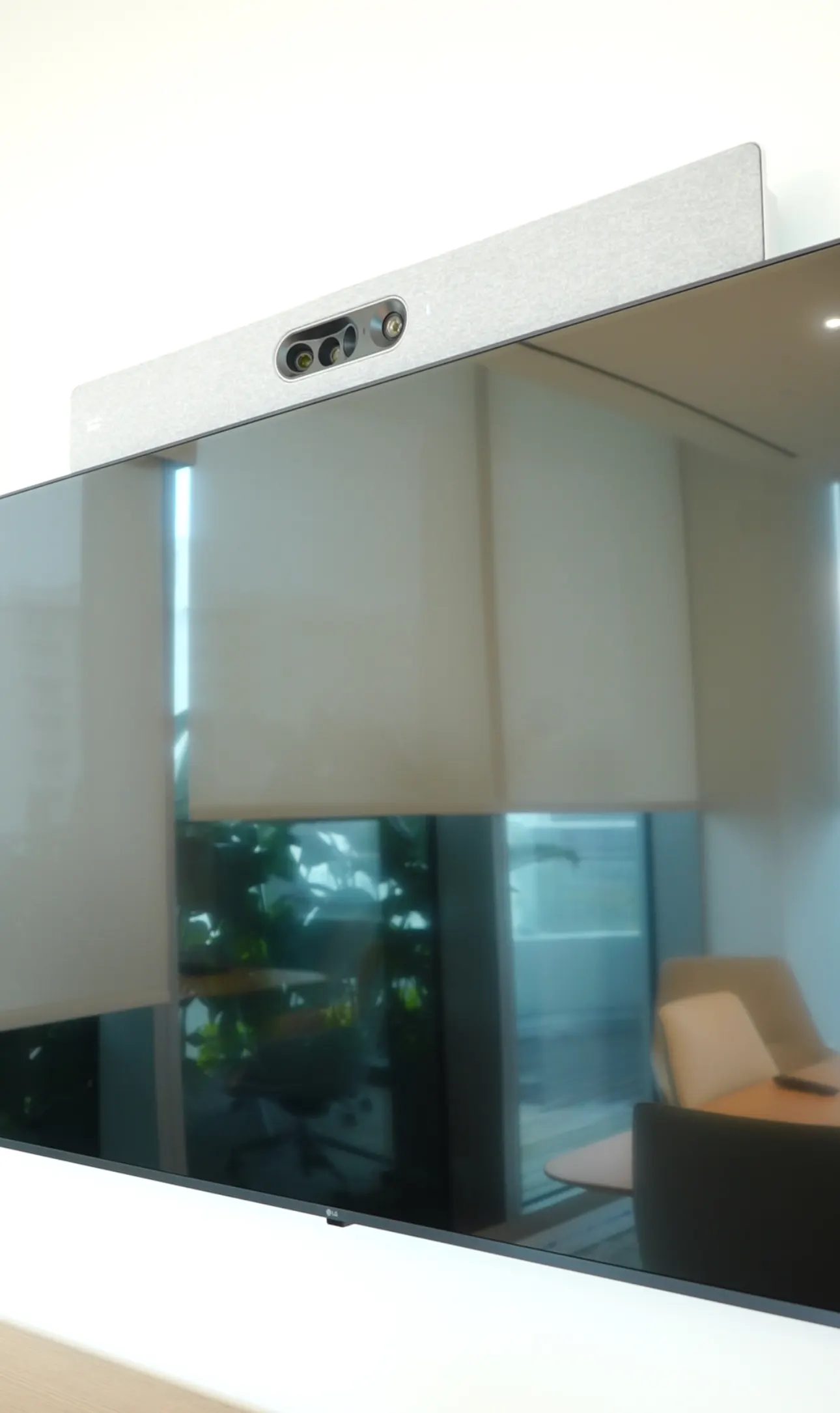
The value of small rooms is in their sameness.
A Meeting Room Standard for the Whole Office
An office with twenty small rooms does not need twenty designs. It needs one or two standards deployed twenty times. We define a huddle standard and a small-room standard with your IT team — display size, video bar model, controller, mounting height, cabling, network configuration, naming convention — and install every room to it. Staff learn the room once. IT manages one image. Spares are common. Replacement is a swap, not a project.
| Standard | Seats | Equipment |
|---|---|---|
| Huddle | 2–4 | 55–65" commercial display, all-in-one video bar, USB-C cable and wireless sharing, compact touch controller or native controller on the bar |
| Small meeting room | 4–8 | 65–75" display (or dual), video bar with expansion microphone or separate camera and tabletop mic, native Teams/Zoom controller, wireless sharing, scheduling panel |
Native, certified, managed.
Teams Rooms and Zoom Rooms for Small Spaces
Certified video bars run Microsoft Teams Rooms or Zoom Rooms natively, so a meeting starts from the calendar with one touch and IT manages the fleet from Teams Rooms Pro or Zoom Device Management. For organizations that host on multiple platforms, rooms are configured for bring-your-own-meeting over USB-C so a laptop can drive the room's camera, microphone and display on any service.
Frequently Asked Questions
What is the difference between a huddle room and a meeting room?
A huddle room seats two to four people and is typically unscheduled, for quick calls. A small meeting room seats four to eight and is bookable. Both use a display and video bar, but the meeting room usually adds a scheduling panel, a larger or dual display and sometimes an expansion microphone.
Is a video bar good enough?
For rooms up to roughly 15 feet deep, yes — modern video bars offer auto-framing cameras and beamforming microphones well matched to small spaces. Larger rooms need separate cameras and ceiling microphones.
How quickly can you deploy 10 or 20 rooms?
Once equipment is on site and rooms are pre-configured, several rooms per day is typical. A 20-room floor is usually completed within one to two weeks including commissioning, subject to building access.
Related AV Solutions
Conference Room AV
Displays, cameras, microphones, DSP and control for conference rooms.
Learn moreMicrosoft Teams Rooms
Certified-hardware Teams Rooms deployed and standardized across offices.
Learn moreZoom Rooms
Zoom Rooms appliances, controllers and scheduling displays.
Learn moreAV Service & Support
Maintenance plans, remote monitoring and on-site service after commissioning.
Learn moreStandardizing Meeting Rooms Across Your Office?
Send us a floor plan and a room count. We will propose a room standard, a per-room budget and a deployment schedule.