Microsoft Teams Rooms Installation in New York
We design, install and provision Microsoft Teams Rooms for New York organizations — certified hardware, room standards by size, resource-account and device-management setup with your IT team, and support after go-live.
AV Company New York · 24 Mercer Street, New York, NY 10013 · Serving the five boroughs
AV Company New York installs Microsoft Teams Rooms in Manhattan and across New York City on certified Windows and Android devices. We size systems by room, install cameras, microphones, displays and controllers, provision resource accounts and Teams Rooms management with IT, commission each room and support it afterward.
- Certified Teams Rooms devices (Windows and Android)
- Room standards from huddle to boardroom
- Resource accounts, Intune/Entra enrollment, Teams Rooms Pro
- Ceiling microphones, intelligent cameras, dual displays
- Multi-room rollouts across New York offices
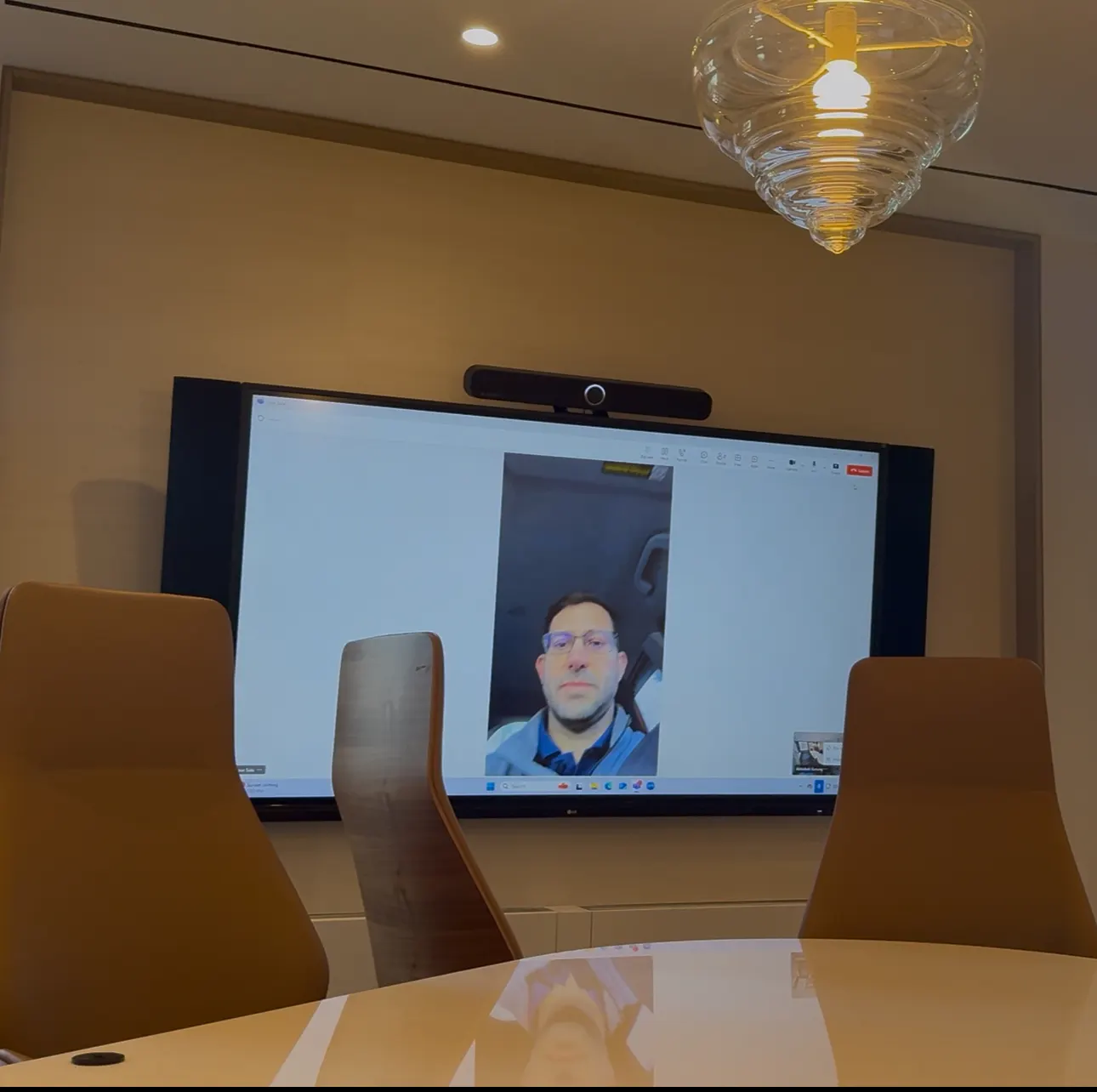
A Teams Room is a dedicated meeting-room system running Microsoft's room software.
What a Microsoft Teams Room Is
A Microsoft Teams Room is a dedicated compute device in the room — running Teams Rooms on Windows or Teams Rooms on Android — connected to certified cameras, microphones, speakers and displays, with a touch console on the table. The room has its own resource account and calendar, so meetings appear on the console and start with one touch. Content is shared from the console, wirelessly or through the HDMI/USB-C table connection. Management is centralized in the Teams admin center, with Teams Rooms Pro adding monitoring and reporting.
The difference between a Teams Room and a laptop plugged into a display is reliability and consistency: the room is always on, always signed in, always the same.
Certified hardware, sized to the room.
Teams Rooms Configurations by Room Size
We define a small number of Teams Rooms standards with your IT team and deploy them consistently:
| Room | Configuration |
|---|---|
| Huddle (2–4) | Teams Rooms on Android video bar with built-in camera and microphones, single display, touch console |
| Small (4–8) | Video bar or modular camera/mic, single or dual displays, touch console, optional scheduling panel |
| Medium (8–12) | Teams Rooms compute, auto-framing camera, ceiling microphone array or beamforming bar, DSP, ceiling speakers, dual displays, touch console |
| Large / boardroom (12+) | Teams Rooms compute, multiple cameras with speaker tracking, ceiling arrays, DSP, distributed audio, dual or triple displays or LED, touch console and room control |
| Training / all-hands | Front and rear cameras, voice lift, lecture capture, large displays or projection, intelligent layouts |
Teams first, not Teams only.
Joining Zoom and Webex Meetings from a Teams Room
Teams Rooms can join Zoom and Webex meetings directly through built-in third-party meeting support, and rooms can be configured for bring-your-own-meeting so a guest's laptop can use the room's camera, microphones and display on any platform. For organizations with both Teams and Zoom tenants, we advise on which rooms should run which platform.
Rollouts across Manhattan offices.
Teams Rooms Rollouts in New York Offices
Multi-room Teams deployments in New York are scheduled floor by floor and often after hours. Equipment is staged and pre-configured before installation so each room is a predictable, repeatable job. Building requirements — certificates of insurance, freight elevator windows, plenum cabling, landlord approvals — are handled in the plan. Our office at 24 Mercer Street keeps our team close to the Midtown, Downtown and Hudson Yards buildings where most Teams Rooms projects take place.
Frequently Asked Questions
Do you install Microsoft Teams Rooms?
Yes. We design, install, provision and support Microsoft Teams Rooms on certified Windows and Android devices for offices in Manhattan and the five boroughs.
What license does a Teams Room need?
Each room resource account requires a Teams Rooms license (Basic for a limited number of rooms, or Pro for management and monitoring). We advise on licensing as part of the design and coordinate assignment with your IT team.
Windows or Android Teams Rooms?
Android-based systems (typically video bars) are simpler and well suited to small rooms; Windows-based systems support the broadest peripheral ecosystem and more complex rooms. Many organizations run both, standardized by room size.
Can a Teams Room join a Zoom meeting?
Yes, through built-in third-party meeting join, and rooms can also be set up for bring-your-own-meeting from a laptop.
Can you convert our existing rooms to Teams Rooms?
Usually yes. Existing displays and cabling often stay; we add a certified Teams Rooms device, console and, where needed, new cameras and microphones.
Related AV Solutions
Conference Room AV
Displays, cameras, microphones, DSP and control for conference rooms.
Learn moreZoom Rooms
Zoom Rooms appliances, controllers and scheduling displays.
Learn moreVideo Conferencing
Camera, microphone, display and codec systems for hybrid meetings.
Learn moreMeeting Room AV
Huddle, small and medium meeting rooms standardized across a floor plate.
Learn moreAV Service & Support
Maintenance plans, remote monitoring and on-site service after commissioning.
Learn moreRolling Out Microsoft Teams Rooms in New York?
Tell us how many rooms and what sizes. We will propose Teams Rooms standards, coordinate provisioning with IT and give you a validated budget and schedule.