Video Conferencing Installation in New York
Video conferencing systems for New York businesses — cameras, microphones, audio processing, displays and native Teams, Zoom or Webex room devices — installed and configured so calls start in one touch and sound as good as they look.
AV Company New York · 24 Mercer Street, New York, NY 10013 · Serving the five boroughs
AV Company New York installs commercial video conferencing systems in Manhattan and throughout New York City. We specify and install cameras, microphone systems, DSP, loudspeakers, displays and certified room devices for Microsoft Teams, Zoom and Cisco Webex, provision them with your IT team, and support them after commissioning.
- Native Microsoft Teams Rooms, Zoom Rooms and Webex devices
- Intelligent cameras with auto-framing and speaker tracking
- Ceiling microphone arrays, beamforming bars, DSP
- Provisioning and device management with IT
- Room standards for multi-room deployments
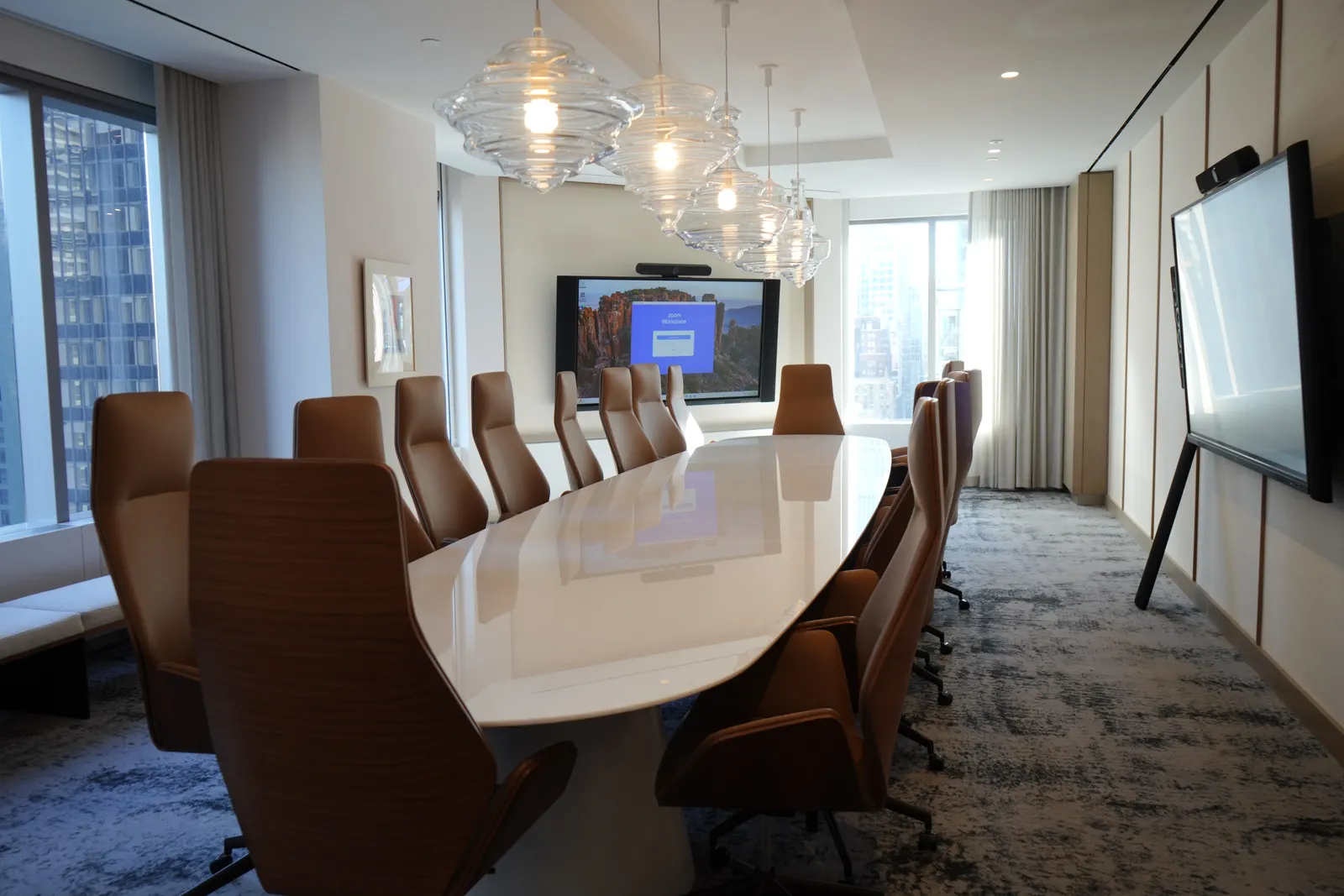
Video quality is a camera decision. Call quality is an audio decision.
What Determines Video Conferencing Quality
Remote participants judge a room by two things: whether they can see who is speaking and whether they can hear them clearly. Both are decided at design time. Camera choice and placement determine framing: a camera at eye level between the displays produces natural eye contact; one mounted above a large display produces a view of the tops of heads. Auto-framing and speaker tracking keep the shot on the person talking.
Audio is the harder problem. Microphones must cover every seat; ceiling arrays with beam steering handle long tables and glass rooms better than tabletop pucks. A DSP performs acoustic echo cancellation, noise reduction and automatic mixing so the far end hears speech rather than the room. Loudspeaker placement keeps remote voices intelligible without feedback. Skipping the DSP is the most common reason "the new room sounds bad."
Native room devices for the platform you already run.
Microsoft Teams, Zoom, Webex and Google Meet Rooms
We install certified room systems for each major platform and configure them with your IT team: resource accounts, device management enrollment, security policies and network segmentation. Rooms can join meetings on other platforms via built-in interoperability, and any room can be configured for bring-your-own-device so a laptop drives the room over USB-C or wirelessly.
| Platform | Room system | Management |
|---|---|---|
| Microsoft Teams | Teams Rooms on certified Windows or Android devices | Teams admin center / Teams Rooms Pro |
| Zoom | Zoom Rooms appliances and controllers | Zoom Device Management |
| Cisco Webex | Webex room devices | Control Hub |
| Google Meet | Meet hardware kits (where the organization runs Google Workspace) | Google Admin console |
| Any (BYOD/BYOM) | USB-C or wireless connection to room camera, mics and display | Managed with the room peripherals |
Systems scale with the room.
Video Conferencing by Room Type
Huddle and small rooms use all-in-one video bars. Medium rooms separate the camera from a ceiling microphone array and add DSP and dual displays. Large rooms and boardrooms use multiple cameras with speaker tracking, distributed audio and full control systems. Training rooms add presenter and audience cameras with voice lift.
Frequently Asked Questions
Which video conferencing platform should we choose?
The one your organization already runs for chat and calendar. Microsoft 365 organizations generally standardize on Teams Rooms; Zoom-first organizations on Zoom Rooms; Cisco enterprises on Webex. Rooms can be configured to join the other platforms for external meetings.
Can you upgrade our existing video conferencing?
Yes. Older codec-based rooms and rooms with consumer webcams are common upgrade candidates. Displays and cabling often stay; cameras, microphones, DSP and the room device are replaced.
Do you install video conferencing in New York offices after hours?
Yes. Most installations in occupied Manhattan offices are scheduled after hours or phased so rooms remain available during the day.
What is a certified room device?
Hardware validated by Microsoft, Zoom or Cisco to run their room software natively with tested cameras, microphones and controllers. Certified systems are managed from the platform's admin console and receive platform updates.
Related AV Solutions
Conference Room AV
Displays, cameras, microphones, DSP and control for conference rooms.
Learn moreMicrosoft Teams Rooms
Certified-hardware Teams Rooms deployed and standardized across offices.
Learn moreZoom Rooms
Zoom Rooms appliances, controllers and scheduling displays.
Learn moreHybrid Meeting Rooms
Rooms engineered so remote participants see and hear as well as those in the room.
Learn moreCommercial Audio
DSP, ceiling microphones, speakers and paging for commercial spaces.
Learn moreBoardroom AV
Executive boardroom systems with concealed technology and one-touch operation.
Learn moreUpgrading Video Conferencing in Your New York Office?
Tell us your platform and room count. We will assess the rooms, propose systems by room size and give you a validated budget.